Oracle E-Business Suite atau biasa disebut Oracle EBS adalah sistem ERP (Enterprise Resource Planning) dari Oracle yang digunakan perusahaan untuk mengelola proses bisnis secara terintegrasi dalam satu sistem.
Pada Oracle EBS atau sistem ERP Lainnya ada yang dinamakan Report, dan Report memiliki parameter. Dalam mengisi parameter ada beberapa metode, ada pengisian langsung dan ada pengisian menggunakan value yang sudah disediakan inilah yang kita sebut "value set". Berikut langkah langkah dalam membuat value set pada Oracle EBS.
Berikut langkah membuat value set pada Oracle EBS
1. Open "Navigator - Application Developer"
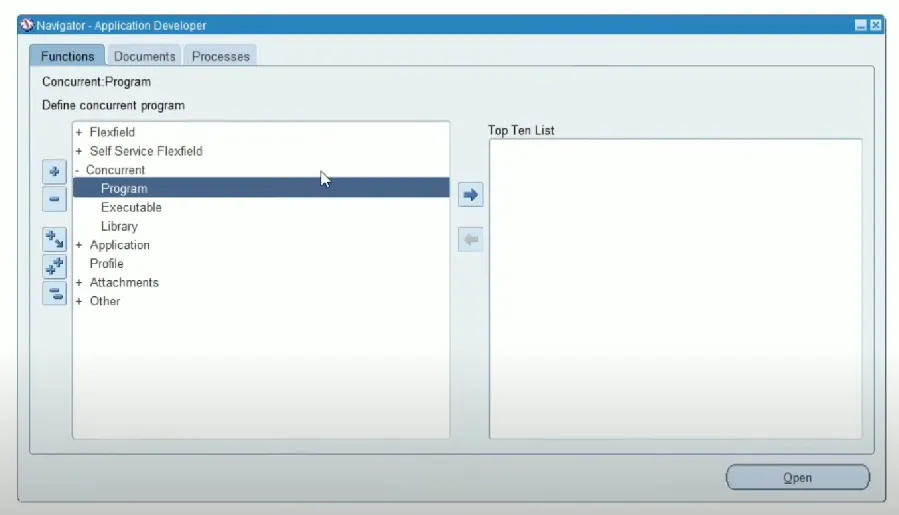
2. Choose "Application" => "Set" to create Value set Name
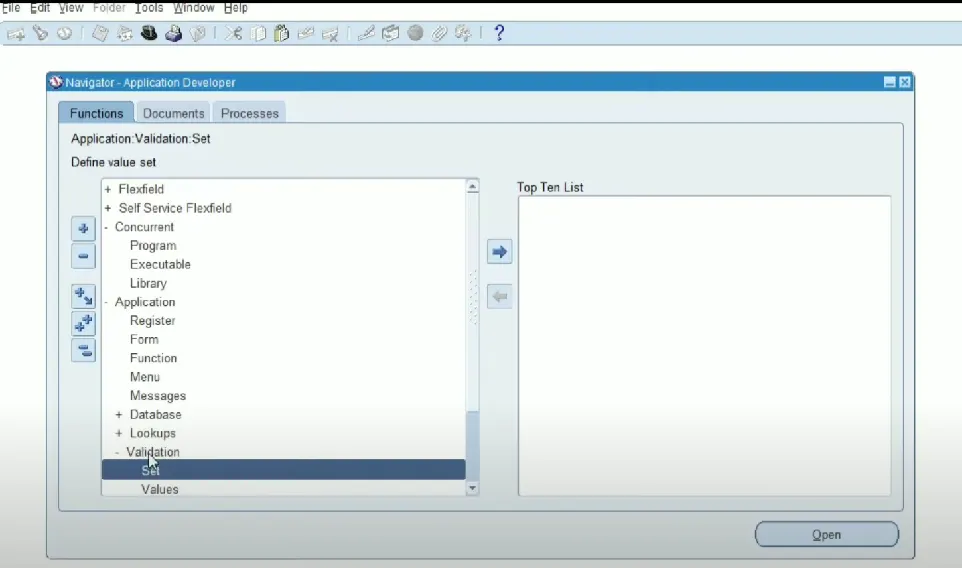
after you choose "set", you will see the pop up window like this:
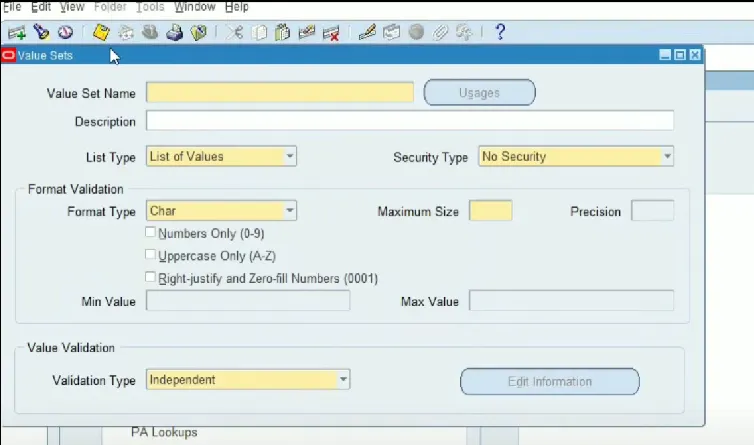
3. Create "Value Set Name"
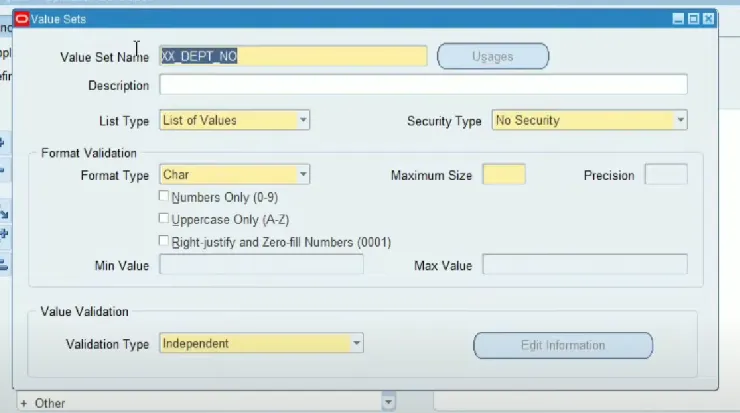
and if you want to create "Description" too, you can. after you create "Value Set Name" and "Description", you have to setting "List Type" and "Security Type". I am setting the List Type to 'List of Values' and Security Type to 'No Security'
4. In Format Validation, you have to settings the "Format Type" and "Maximum Size". In here I'm Set the Format Type to "Number" (because this value set will return department number, so the value set will return number data type. the format type it's mean like data type) and Maximum Size is "3" (maximum size is format to set max size of value, for example I set to 3, its mean I just can insert the value from '000' until '999')
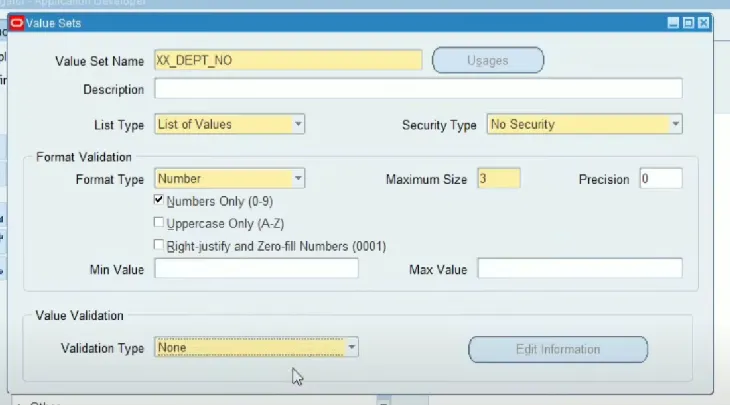
5. Setting the Value Validation. I'm Setting the Validation Type to Table

(Function: This validation type uses database tables to validate entered values. The value entered must exist in a specific table column in the database.
Usage Example: Using the product table to validate valid product codes.)
after you choose the validation type, you have to prepare the query for value set. in this case for get department number.
		SELECT *
		FROM xxqcs_dept
		WHERE department_id = 10;
the data you will get with this query is
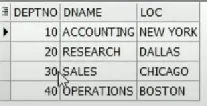
and then setting the information of the table with click Edit Information, after you click "Edit Information" the window will look like below.
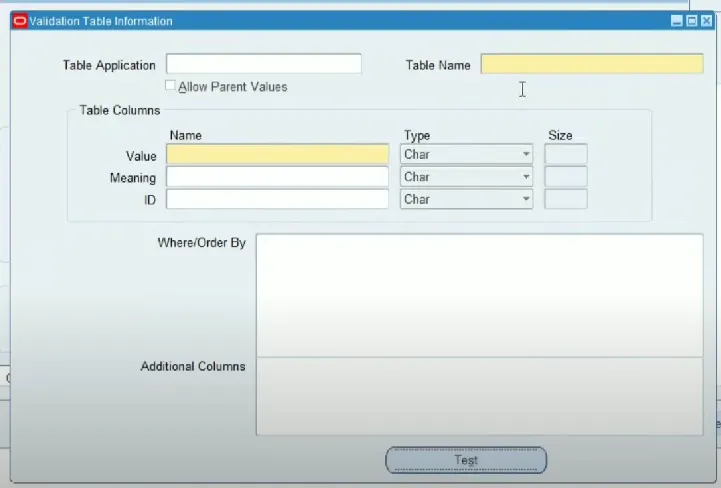
and then, insert table name, value with the column you want to choose and size with same value as maximum size.
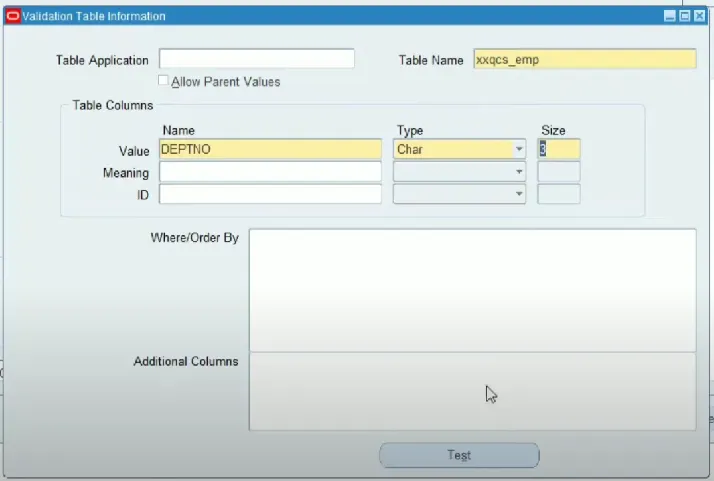
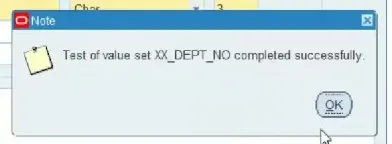
click test, if the pop-up looks like below, the query not error. and you just click ok button, save and close the pop-up window
6. Value Set has finished registering. The next step is to register the Value Set with the registered concurrent. follow the next steps below:
Link Belum Tersedia
===========================================================================================
# Another example if you choose validation type Dependent

(Function: This validation type is used when a set of values depends on the values of another set of values. That is, the valid values in this set are determined by the values ??selected from another set of values.
Usage Example: If there are two sets of values, "Country" and "State", then the values in "State" will depend on the values selected in "Country".)
choose edit information for more setting for Validation Type of Dependent
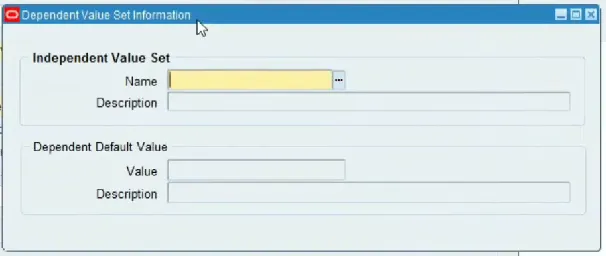
after you click "Edit Information" you will see this window
Reference:
https://www.youtube.com/watch?v=biMfapYfggc&t=288s&ab_channel=OracleShooter